





SCANNA: add AI to the security cameras you already have

SCANNA finds the existing cameras on your network, checks every stream, and brings them onto RAD AI analytics.

ONVIF and RTSP
Checks every stream it finds
NVR channels, one by one
Recorders open into their cameras
Cloud AI by default
Add an on-site server as you grow
Works with SARA Agentic AI
Verify, escalate, and resolve

How does SCANNA onboard a camera?

Four steps, one screen. Watch an onboarding run on an example network, or pick a step.

SCANNA interface with example data. Addresses are private and illustrative.
Preview frame: example crop from a RAD site camera.

What changes once it's on RAD?

Before

Cameras record around the clock. Someone pulls the footage after something happens.

After

RAD AI analytics watch every onboarded camera, and SARA Agentic AI handles what they find.
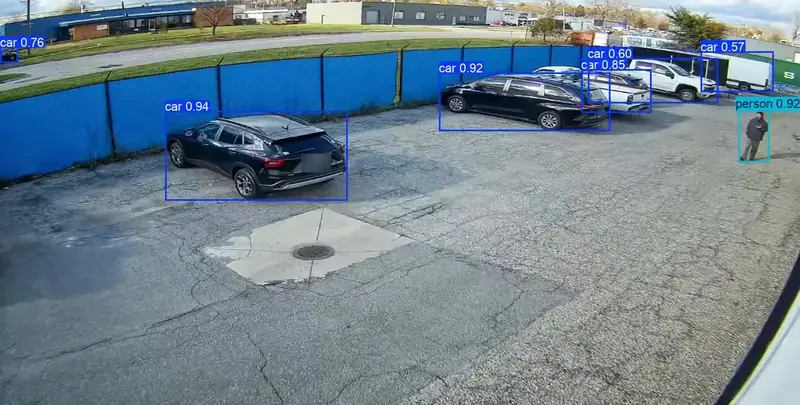
Daytime parking lot camera view with RAD AI analytics boxes on cars and a person

RAD AI analytics on a site camera. Real RAD footage.

What system do your cameras join?

Your existing cameras join the same fully agentic system as RAD's own devices. SARA Agentic AI runs the response across every camera and device on site, and RADSOC records every incident.

What joins
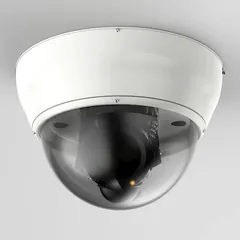
Your existing IP cameras and NVRs

Unbranded ceiling dome security camera
ONVIF or RTSP cameras and NVR channels
Onboard through SCANNA
Run RAD AI analytics on Cloud AI
How SCANNA works

RAD devices, Edge AI and Physical AI

Where a site wants detection and deterrence at the edge.

ROSA Edge AI security device
ROSA
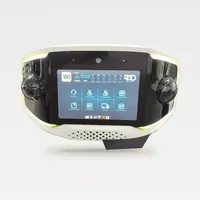
RIO Edge AI security device
RIO
AVA Edge AI security device
AVA
ROAMEO Physical AI patrol vehicle
ROAMEO
See RAD devices

What runs it

SARA Agentic AI
Operator layer

SARA Agentic AI

Verifies every event and runs the response across every camera and device on site, by your rules.

Existing cameras
Cloud AI
ROSA, RIO, AVA
Edge AI
ROAMEO
Physical AI
See SARA Agentic AI
The record
RADSOC
Every incident documented, step by step.
Resolved and filed

What it does

Detect
People and vehicles on every feed
Verify
Checked before anyone gets a call
Deter
Warns people off on site
Escalate
Calls your contacts
Respond
Keeps responders updated
Resolve
Closed and filed in RADSOC

Where is the video processed?

In the cloud by default. As a property adds cameras, many customers add an on-site server to take on the processing.

Cloud by default

Nothing to add on site for processing. RAD AI analytics run in RAD's cloud.

Your cameras
Onboarded by SCANNA
RAD cloud
RAD AI analytics, SARA Agentic AI, RADSOC

Add an on-site server

As camera counts grow, the server offloads video processing. The rest of the workflow stays the same.

Your cameras
Onboarded by SCANNA
On-site server
RAD AI analytics
RAD cloud
SARA Agentic AI, RADSOC

What do buyers ask?

Short answers to the questions that come up before a demo.

Do I need new cameras to use RAD AI analytics?

Can I start in the cloud and add a server later?

Can SARA talk down intruders on my existing cameras?

Who sets up SCANNA?

Are you a dealer or integrator?

RAD's authorized partners run SCANNA at install, so their customers' existing cameras join RAD AI analytics and SARA Agentic AI with a clean handoff.

Security and operations leaders see which cameras are ready, across one site or many.

Connect with us

Detection To Resolution

AI Detection. Edge Deterrence. Agentic AI Orchestration.